This week I tried my hand at cross-platform promotions. I posted graphics about each of my blog posts on my Instagram. I created these graphics using Canva. I’ve only used Canva once before, in my visual communication class, as an activity to create an info-graphic. I use Instagram everyday and have gained over 1,000 followers on my main account (not much, but for someone from Laramie, I’d say it’s okay to be a little proud).
For my promotions, I aimed to use a somewhat casual style while still maintaining an aesthetically pleasing profile. I wanted to keep them simple while using an array of different outlines for each graphic. For my blog posts which heavily leaned on the images within, I worked to highlight as many images as I could in their corresponding graphics. For my blog posts which were leaning on my writing, my use of images was more subtle. I also tried to compliment the content of my blog post when choosing colors. For my post about beautiful outdoor areas around Laramie, I chose natural colors which were found in the images I used. For my post about the UW president selection, I used darker, more modest colors.
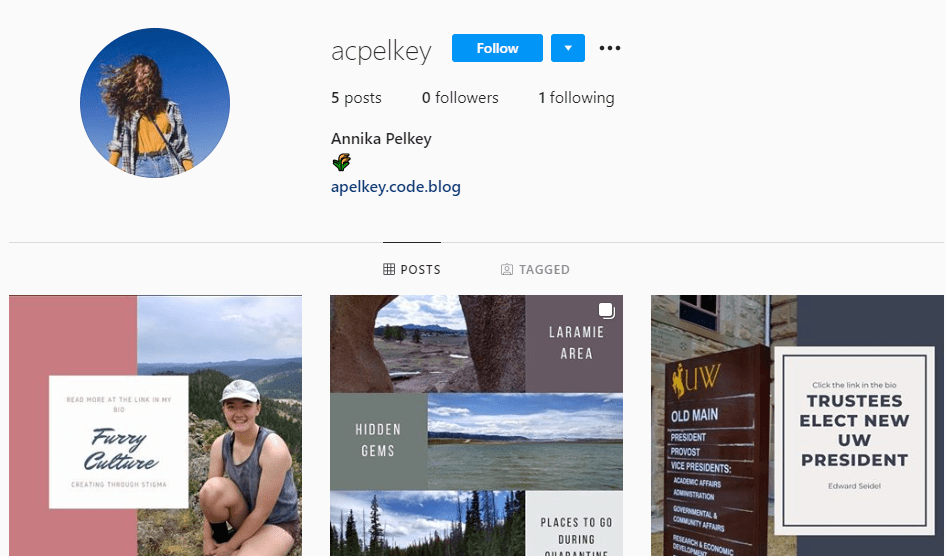
This assignment was challenging in trying to balance including all the information necessary and maintaining simplicity. I prefer Instagram posts that have fewer words and less busy graphics, so I worked to follow suite. It was difficult to include all of the images I wanted to without going overboard. It was also difficult to find a good balance in the captions, between advertising the post and avoiding the inclusion too much information.
It was surprising to me how easy Canva is to use. I’m excited to use this in the future for my own Instagram. I hope to promote my blog on my main page once I am completely confident in it. I also hope to incorporate Canva graphics within my Instagram stories, for when I make a new post.
 Annika's Page